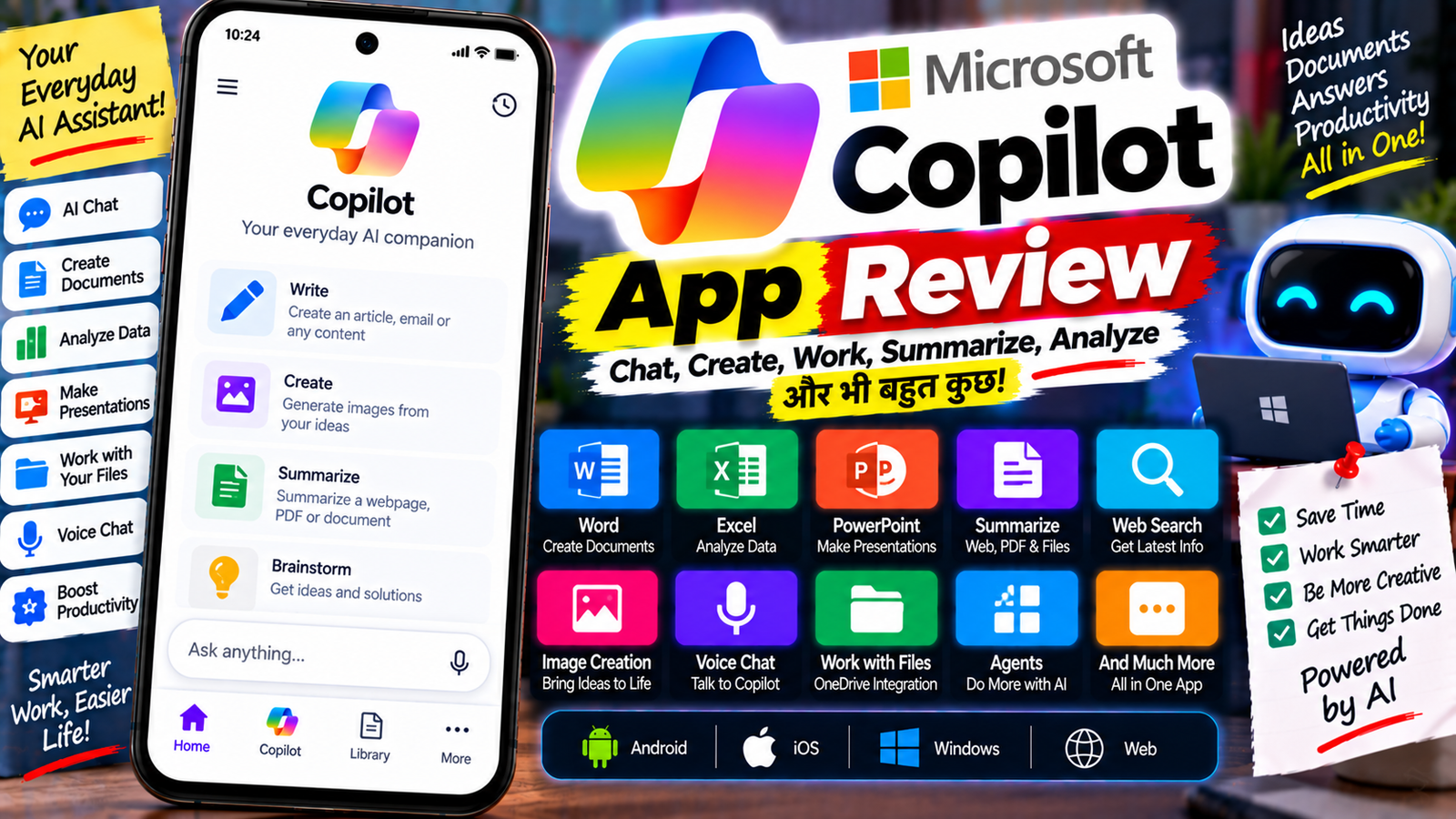
आज AI सिर्फ सवालों के जवाब देने तक सीमित नहीं है। अब AI की मदद से documents बनाना, spreadsheets समझना, presentations तैयार करना, emails summarize करना, files से सवाल पूछना और ideas generate करना भी संभव है। Microsoft का Microsoft Copilot app इसी दिशा में बनाया गया है।
एक जरूरी बात: Microsoft ने Microsoft 365 Copilot app को अब Microsoft Copilot app नाम दिया है। Current app experience account के अनुसार Personal या Work/School mode में अलग हो सकता है।
Microsoft के अनुसार Copilot app Android, iOS, Windows, Mac और Web पर उपलब्ध है। इसमें Chat, Search, Library, Agents, Create और अन्य Microsoft 365 experiences account और license के अनुसार दिखाई दे सकते हैं।
इस review में हम Microsoft Copilot app के AI Chat, Voice Chat, Image Creation, Word, Excel, PowerPoint, File Analysis, OneDrive, Outlook, Agents, Work/Personal accounts, फायदे, कमियां और privacy को आसान भाषा में समझेंगे।
Microsoft Copilot क्या है?
Microsoft Copilot Microsoft का AI assistant है।
इसे आप ChatGPT जैसे conversational AI की तरह इस्तेमाल करके सवाल पूछ सकते हैं, लेकिन Microsoft ecosystem के साथ इसका integration इसे अलग बनाता है।
आप Copilot से:
- Questions पूछ सकते हैं
- Information समझ सकते हैं
- Content लिखवा सकते हैं
- Ideas generate कर सकते हैं
- Text summarize कर सकते हैं
- Files के बारे में सवाल पूछ सकते हैं
- Word documents बनवा सकते हैं
- Excel files create कर सकते हैं
- PowerPoint presentations बनवा सकते हैं
- Voice conversation कर सकते हैं
- Images और creative content पर काम कर सकते हैं
Microsoft के current Copilot app documentation के अनुसार app Chat, Library, Agents, Search और Cowork जैसे experiences दे सकता है, हालांकि availability account और subscription पर निर्भर करती है।
Microsoft Copilot App का नया Experience
Microsoft Copilot app को अब AI-first experience की दिशा में बदला जा रहा है।
Mobile app में users Copilot से chat करके:
- Questions पूछ सकते हैं
- Information summarize कर सकते हैं
- Ideas brainstorm कर सकते हैं
- Content create कर सकते हैं
- Documents और visual content बनाने के लिए prompts दे सकते हैं
Microsoft के February 2026 documentation के अनुसार mobile experience में कुछ पुराने file-management और editing workflows को dedicated Word, Excel, PowerPoint और OneDrive apps की तरफ redirect किया जा रहा है।
इसलिए पुराने Microsoft 365 app reviews में दिखाई देने वाला interface और current Copilot app experience बिल्कुल समान होना जरूरी नहीं है।
Microsoft Copilot के मुख्य Features
1. AI Chat
Copilot का सबसे basic feature AI Chat है।
आप सामान्य भाषा में सवाल पूछ सकते हैं।
उदाहरण:
“मुझे YouTube video के लिए 10 ideas दो।”
या:
“इस paragraph को आसान Hindi में समझाओ।”
या:
“एक professional email लिखो।”
Copilot आपके prompt के आधार पर जवाब generate करता है।
अगर आप Microsoft 365 subscription या eligible work account इस्तेमाल करते हैं, तो available configuration के अनुसार Copilot web information या authorized work data का उपयोग भी कर सकता है।
2. Web Search और Current Information
Copilot को general information और web-based questions के लिए भी इस्तेमाल किया जा सकता है।
उदाहरण:
“आज के technology trends क्या हैं?”
या:
“इस topic पर latest information summarize करो।”
Microsoft के current mobile documentation के अनुसार eligible Microsoft 365 subscription के साथ Copilot web-grounded chat दे सकता है। Work account और Copilot license होने पर available work data के साथ भी responses grounded हो सकते हैं।
3. Voice Chat
अगर आप typing नहीं करना चाहते तो Copilot के साथ voice conversation भी कर सकते हैं।
Mobile app में voice conversation शुरू करके आप बोलकर सवाल पूछ सकते हैं और AI से response प्राप्त कर सकते हैं।
यह feature तब उपयोगी हो सकता है जब:
- आप driving नहीं बल्कि सुरक्षित stationary situation में हों
- हाथ busy हों
- जल्दी idea note करना हो
- बोलकर brainstorming करनी हो
4. Content Writing
Copilot writing में भी मदद कर सकता है।
आप इससे:
- Blog outline
- Social media post
- Script
- Summary
- Product description
- Report
- Ideas
तैयार करवा सकते हैं।
उदाहरण:
“AI video editing पर 1000 शब्दों का Hindi article लिखो।”
इसके बाद आप कह सकते हैं:
“इसे छोटा करो।”
या:
“Language आसान करो।”
इस तरह conversational editing की जा सकती है।
5. Brainstorming
Copilot सिर्फ final answer देने के बजाय ideas generate करने के लिए भी उपयोगी है।
उदाहरण:
“मेरे tech YouTube channel के लिए 20 video topics दो।”
इसके बाद:
“इनमें से beginner audience के लिए 5 topics चुनकर titles बनाओ।”
इस तरह एक ही conversation में idea → title → outline → script जैसी workflow बनाई जा सकती है।
Word Agent
Microsoft Copilot में supported accounts के लिए Word Agent से prompt देकर Word documents बनाने की सुविधा उपलब्ध है।
Microsoft के अनुसार Word Agent को simple description देकर document generate कराया जा सकता है। Generated file को review करने के बाद Word में खोलकर edit किया जा सकता है।
उदाहरण:
“Create a 5-page project proposal with introduction, objectives, timeline and conclusion.”
Copilot document तैयार कर सकता है और उसे OneDrive में save किया जा सकता है, फिर Word में edit किया जा सकता है।
Excel Agent
Excel में Copilot data को समझने और analyze करने में मदद कर सकता है।
Microsoft के अनुसार Copilot Excel में data analysis, formulas, tables और visualizations के साथ काम करने में मदद करता है।
उदाहरण:
आप कह सकते हैं:
“इस sales data का monthly summary बनाओ।”
या:
“इस data में सबसे ज्यादा revenue वाले products बताओ।”
Copilot available configuration के अनुसार analysis, formulas और visuals बनाने में सहायता कर सकता है।
PowerPoint Agent
Presentation बनाने के लिए भी Copilot उपयोगी है।
आप prompt दे सकते हैं:
“Create a 10-slide presentation about Artificial Intelligence for beginners.”
Microsoft के अनुसार PowerPoint Agent ideas को presentations में बदलने और existing decks को update करने में मदद कर सकता है।
यह feature presentation बनाने का शुरुआती काम काफी तेज कर सकता है।
Files से सवाल पूछना
Copilot में supported accounts के साथ files के बारे में questions पूछे जा सकते हैं।
उदाहरण:
“इस document का summary बताओ।”
“इस file में important points क्या हैं?”
“इस presentation के मुख्य conclusions क्या हैं?”
Microsoft के current mobile documentation के अनुसार Copilot mobile app में Word, Excel और PowerPoint files को preview करके Copilot Chat से उनके बारे में questions पूछे जा सकते हैं। Editing के लिए users को संबंधित dedicated app में redirect किया जा सकता है।
OneDrive Integration
Microsoft ecosystem में OneDrive और Copilot के बीच भी integration है।
Microsoft के अनुसार Copilot connected files के summaries, multi-file comparisons और insights देने में मदद कर सकता है।
उदाहरण:
अगर आपके OneDrive में कई project documents हैं, तो supported Copilot experience में आप उन files से information समझने और compare करने के लिए AI का इस्तेमाल कर सकते हैं।
Outlook के साथ Copilot
Copilot Outlook के साथ भी integrated है।
Microsoft के अनुसार Outlook में Copilot inbox और calendar से जुड़े कामों में मदद कर सकता है।
उदाहरण:
- Email summary
- Draft reply
- Calendar information
- Meeting-related questions
- Inbox assistance
Work/school accounts में available capabilities license और administrator configuration पर निर्भर कर सकती हैं।
Teams में Copilot
Microsoft Teams में Copilot meetings, calls और chats से information समझने में मदद कर सकता है।
Microsoft के अनुसार Teams में Copilot meeting highlights, action items और important discussion points निकालने में मदद कर सकता है।
इसका फायदा उन users को हो सकता है जो दिनभर कई meetings attend करते हैं।
OneNote में Copilot
Microsoft OneNote में भी Copilot integration उपलब्ध है।
Microsoft के अनुसार OneNote में Copilot AI-powered assistance के जरिए notes का summary और अन्य productivity tasks में मदद कर सकता है।
उदाहरण:
अगर आपके पास बहुत लंबे meeting notes हैं तो Copilot से उनके main points और action items समझने में मदद ली जा सकती है।
Image Creation
Copilot app में creative content और image creation capabilities भी उपलब्ध हो सकती हैं।
आप prompt के जरिए किसी visual idea को describe कर सकते हैं।
उदाहरण:
“Create a futuristic AI technology workspace.”
लेकिन image creation features account, service और rollout के अनुसार बदल सकते हैं।
Agents
Copilot में Agents एक important advanced feature है।
Agents specific tasks या workflows के लिए designed AI experiences हो सकते हैं।
Current Copilot app navigation में Agents experience उपलब्ध हो सकता है, लेकिन कौन-से agents दिखाई देंगे यह account और license पर निर्भर करता है।
Microsoft 365 Copilot ecosystem में agents का उद्देश्य repetitive या specialized tasks को AI के जरिए आसान बनाना है।
Copilot में Cowork
Microsoft Copilot app में Cowork नाम का experience भी current documentation में दिखाई देता है।
Microsoft इसे ऐसे workflow के रूप में describe करता है जिसमें Copilot ज्यादा complex work को handle करने में मदद करता है।
हालांकि advanced Cowork और agent capabilities की availability सभी accounts में समान नहीं हो सकती।
Microsoft Copilot कैसे इस्तेमाल करें?
Step 1: App Install करें
Android या iPhone पर Microsoft Copilot app install करें।
Microsoft के अनुसार Copilot mobile app iOS और Android दोनों पर उपलब्ध है।
Step 2: Sign In करें
अपने Microsoft account से sign in करें।
अगर आपके पास work/school account है तो organization द्वारा उपलब्ध Copilot features अलग हो सकते हैं।
Step 3: Chat शुरू करें
Chat box में अपना सवाल लिखें।
उदाहरण:
“मुझे एक professional email लिखकर दो।”
Step 4: Follow-up करें
पहले answer के बाद आप उसी conversation में additional instructions दे सकते हैं।
जैसे:
“इसे छोटा करो।”
“इसे Hindi में करो।”
“Tone professional रखो।”
Step 5: Files के साथ काम करें
Supported account में file upload या available file access का इस्तेमाल करके document के बारे में questions पूछ सकते हैं।
Personal और Work Account में अंतर
Microsoft Copilot में Personal और Work/School experiences अलग हो सकते हैं।
Microsoft के अनुसार sign-in के बाद experience आपके account type के अनुसार adapt होता है। Work/school environment में organization की security, privacy और compliance policies लागू रहती हैं।
Personal account में आप अपनी personal files, notes और OneDrive content के साथ available features इस्तेमाल कर सकते हैं।
इसलिए अगर किसी user को अलग interface या अलग features दिखाई दें तो इसका कारण account type या subscription हो सकता है।
Microsoft Copilot और Microsoft 365 Copilot में अंतर
यह नामों की वजह से थोड़ा confusing हो सकता है।
Microsoft Copilot app एक AI application है जिसमें Chat और अन्य Copilot experiences उपलब्ध होते हैं।
वहीं Microsoft 365 Copilot Microsoft 365 applications और work data के साथ deeper AI integration वाला experience है।
Microsoft की current documentation में यह भी बताया गया है कि Microsoft 365 Copilot app का नाम अब Microsoft Copilot app है।
इसलिए पुराने articles में “Microsoft 365 app” या “Microsoft 365 Copilot app” नाम देखकर confusion हो सकता है।
Microsoft Copilot के फायदे
एक जगह कई AI Features
Chat, writing, brainstorming, file questions और creative tasks एक ही AI experience में मिल सकते हैं।
Microsoft Apps के साथ Integration
Word, Excel, PowerPoint, Outlook, Teams और OneNote जैसे apps के साथ Copilot integration उपलब्ध है।
Document Creation
Supported accounts में prompt देकर Word documents, Excel workbooks और PowerPoint presentations बनाने की सुविधा मिल सकती है।
Voice Chat
Mobile पर voice conversation से hands-free AI interaction किया जा सकता है।
File Understanding
Supported files के बारे में questions और summaries प्राप्त की जा सकती हैं।
Work Data Integration
Eligible work accounts में Copilot authorized files, emails, meetings और other work content के साथ काम कर सकता है, organization permissions का पालन करते हुए।
Cross-Device Access
Copilot app desktop, web और mobile पर उपलब्ध है और conversations को devices के बीच continue किया जा सकता है।
Microsoft Copilot की कमियां
सभी Features Free नहीं
Copilot की capabilities account और subscription के अनुसार बदलती हैं।
Word, Excel और PowerPoint Agents जैसी advanced features के लिए specific Microsoft 365 Copilot license की आवश्यकता हो सकती है।
AI हमेशा Perfect नहीं
AI-generated text, summaries, formulas या presentations में errors हो सकते हैं।
Microsoft खुद generated files को share करने से पहले accuracy review करने की सलाह देता है।
Mobile App में Changes
Current mobile experience में कुछ file browsing और editing functionality dedicated Microsoft apps की तरफ move की जा रही है।
इसलिए पुराने tutorials में दिखाए गए steps current app में अलग हो सकते हैं।
Microsoft Ecosystem का महत्व
अगर आप Word, Excel, PowerPoint, OneDrive, Outlook और Teams पहले से इस्तेमाल करते हैं तो Copilot का पूरा ecosystem ज्यादा useful हो सकता है।
Privacy और Security
Microsoft 365 Copilot में privacy और security account type के अनुसार महत्वपूर्ण भूमिका निभाती है।
Microsoft के अनुसार work/school Copilot existing Microsoft 365 permissions और organization security controls का पालन करता है। Copilot interactions encrypted होते हैं और Microsoft के अनुसार Microsoft 365 Copilot prompts और responses को language models train करने के लिए इस्तेमाल नहीं करता।
फिर भी users को sensitive information के साथ AI tools इस्तेमाल करते समय अपने organization’s policies और account settings को ध्यान में रखना चाहिए।
Personal account में भी sensitive information share करने से पहले यह देखना चाहिए कि कौन-सी file या content AI experience को उपलब्ध कराया जा रहा है।
क्या Microsoft Copilot Free है?
Microsoft Copilot का basic AI experience कुछ accounts में बिना Microsoft 365 Copilot add-on के भी उपलब्ध हो सकता है।
लेकिन advanced Microsoft 365 capabilities अलग subscriptions और licenses पर निर्भर करती हैं।
Microsoft के अनुसार Word, Excel और PowerPoint Agents जैसी capabilities के लिए Microsoft 365 Copilot license की आवश्यकता हो सकती है, जबकि कुछ Copilot experiences Microsoft 365 Personal, Family या Premium subscriptions के साथ उपलब्ध हैं।
इसलिए केवल “Copilot Free है या Paid?” पूछने की बजाय यह देखना जरूरी है कि आपको कौन-सा specific feature चाहिए।
Microsoft Copilot किसके लिए Useful है?
Copilot इन users के लिए useful हो सकता है:
- Students
- Office Employees
- Content Creators
- Writers
- Freelancers
- Business Users
- Researchers
- Presentation बनाने वाले Users
- Excel Users
- Microsoft 365 Users
Content creators के लिए इसका इस्तेमाल:
Idea → Outline → Script → Document → Presentation
जैसे workflows में किया जा सकता है।
Microsoft Copilot और ChatGPT में अंतर
दोनों AI assistants से सामान्य questions, writing, brainstorming और अन्य AI tasks किए जा सकते हैं।
Microsoft Copilot का बड़ा focus Microsoft ecosystem और Microsoft 365 apps के साथ integration पर है। Word, Excel, PowerPoint, Outlook, Teams और OneNote में Copilot capabilities उपलब्ध हैं।
दूसरी तरफ, ChatGPT का ecosystem अलग है और उसकी capabilities OpenAI के products और connected tools के अनुसार बदलती हैं।
इसलिए दोनों के बीच practical difference अक्सर इस बात पर depend करता है कि user किस workflow और ecosystem में काम करता है।
Microsoft Copilot और Gemini में अंतर
Gemini Google ecosystem के साथ integrated AI assistant है, जबकि Copilot Microsoft ecosystem पर ज्यादा focus करता है।
अगर आपका daily workflow:
- Word
- Excel
- PowerPoint
- Outlook
- Teams
- OneDrive
पर आधारित है तो Copilot का integration relevant हो सकता है।
वहीं Google Workspace users के लिए Gemini का integration ज्यादा natural हो सकता है।
FAQs
Microsoft Copilot क्या है?
Microsoft Copilot Microsoft का AI assistant है जो chat, content creation, file understanding और Microsoft 365 productivity workflows में मदद कर सकता है।
क्या Microsoft Copilot Free है?
Basic Copilot experiences कुछ accounts में उपलब्ध हैं, जबकि advanced Microsoft 365 Copilot capabilities subscription और license पर निर्भर करती हैं।
क्या Copilot Android पर चलता है?
हाँ। Microsoft Copilot mobile app Android और iOS दोनों पर उपलब्ध है।
क्या Copilot में Voice Chat है?
हाँ। Mobile app में voice conversation शुरू की जा सकती है।
क्या Copilot Word document बना सकता है?
Supported Microsoft 365 Copilot experiences में Word Agent prompt के आधार पर Word documents बनाने में मदद कर सकता है।
क्या Copilot Excel file बना सकता है?
Supported Copilot experiences में Excel Agent prompt के आधार पर workbook बनाने और data analysis में मदद कर सकता है।
क्या Copilot PowerPoint presentation बना सकता है?
हाँ, supported Copilot experiences में PowerPoint Agent prompt से presentation बनाने में मदद कर सकता है।
क्या Copilot PDF या files समझ सकता है?
Supported file experiences में Copilot documents और files के बारे में questions और summaries देने में मदद कर सकता है। Mobile app में कुछ file workflows preview और dedicated Microsoft apps के साथ काम करते हैं।
क्या Microsoft Copilot और Microsoft 365 Copilot एक ही हैं?
नाम और experience अब काफी closely connected हैं, लेकिन capabilities account और license पर निर्भर करती हैं। Microsoft 365 app को current documentation में Microsoft Copilot app के नाम से refer किया जाता है।
क्या Copilot में Agents हैं?
हाँ। Copilot app में Agents experience उपलब्ध हो सकता है, लेकिन कौन-से agents और capabilities मिलेंगे यह account और license पर निर्भर करता है।
निष्कर्ष
Microsoft Copilot अब सिर्फ एक सामान्य AI chatbot नहीं है। Microsoft इसे अपने productivity ecosystem के साथ जोड़ रहा है, जिसमें Word, Excel, PowerPoint, Outlook, Teams, OneNote और OneDrive जैसी services शामिल हैं।
Copilot के जरिए आप questions पूछने और content लिखने के अलावा supported configurations में documents, spreadsheets और presentations बनाने, files को समझने, meetings और emails का summary लेने और voice interaction करने जैसे काम कर सकते हैं।
हालांकि हर feature हर user के लिए उपलब्ध नहीं है। Account type, Microsoft 365 subscription, Copilot license और organization settings के अनुसार capabilities काफी अलग हो सकती हैं।
एक और महत्वपूर्ण बात यह है कि Microsoft Copilot mobile app में लगातार बदलाव कर रहा है। कुछ पुराने file-editing workflows अब dedicated Word, Excel, PowerPoint और OneDrive apps की तरफ move किए जा रहे हैं।
कुल मिलाकर, Microsoft ecosystem इस्तेमाल करने वाले users के लिए Copilot एक ऐसा AI assistant है जो सवालों के जवाब से आगे बढ़कर productivity और content-creation workflows में AI को जोड़ने की कोशिश करता है।