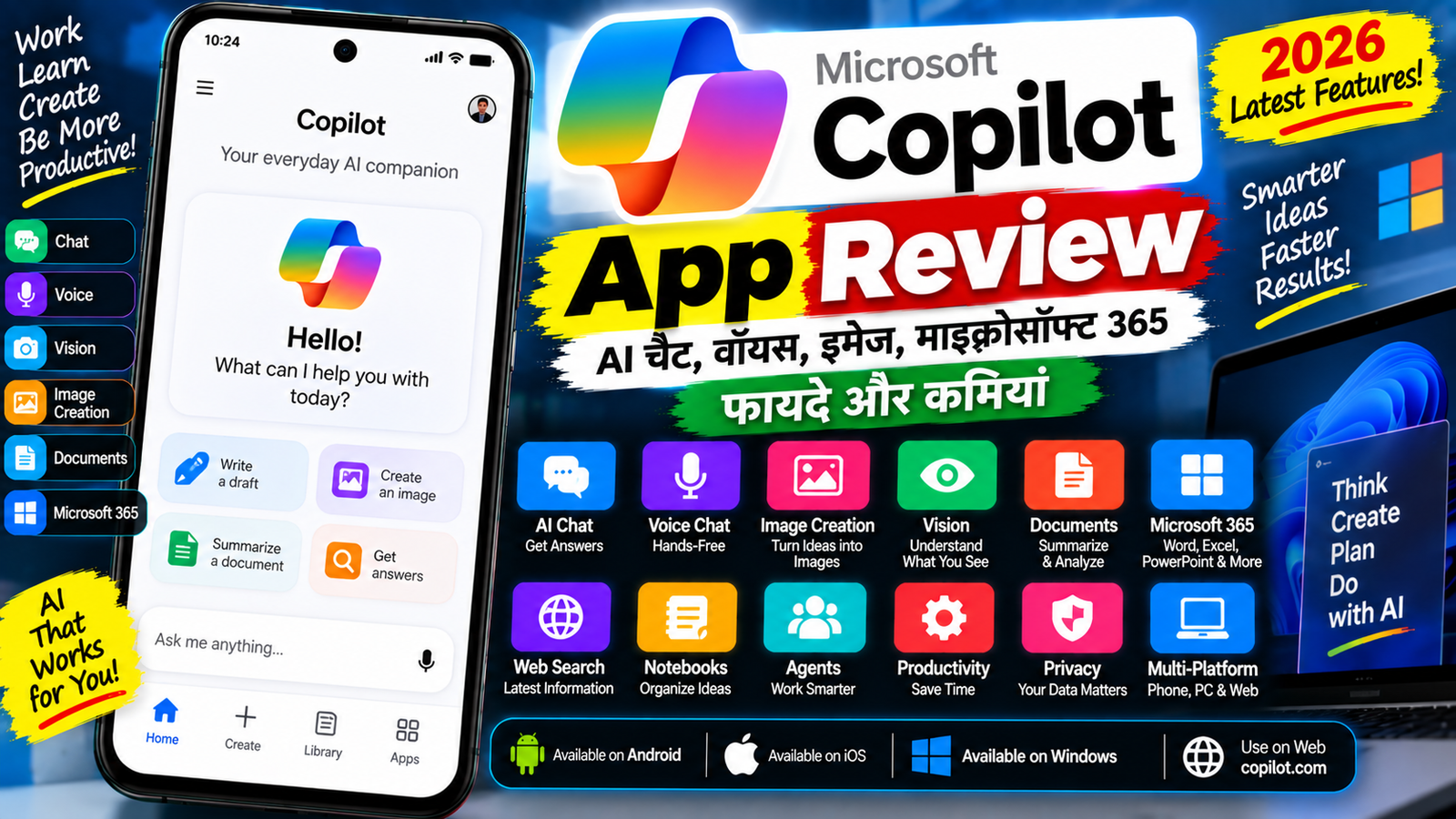
Artificial Intelligence यानी AI अब सिर्फ technology experts तक सीमित नहीं है। आज students, creators, professionals और सामान्य users भी AI tools का इस्तेमाल writing, research, brainstorming, image creation और productivity जैसे कामों के लिए कर रहे हैं। इसी category में Microsoft का Copilot एक महत्वपूर्ण AI assistant है।
Microsoft Copilot को सामान्य AI chatbot की तरह questions पूछने के लिए इस्तेमाल किया जा सकता है, लेकिन Microsoft ecosystem के साथ इसका integration इसे productivity-focused AI tool भी बनाता है। Microsoft के current documentation के अनुसार Copilot app में Chat, Search, Library, Agents, Notebooks और Cowork जैसी experiences उपलब्ध हो सकती हैं, हालांकि features आपके account और subscription पर depend करते हैं।
Copilot Android, iPhone/iPad, Windows, Mac और web पर उपलब्ध है। Microsoft के अनुसार personal और work/school accounts का experience अलग हो सकता है।
इस Microsoft Copilot App Review में हम जानेंगे कि Copilot क्या है, इसमें कौन-कौन से AI features मिलते हैं, Voice और Vision कैसे काम करते हैं, images और documents के साथ क्या किया जा सकता है, Microsoft 365 के साथ इसका connection कैसे काम करता है और इसके फायदे व कमियां क्या हैं।
Copilot क्या है?
Microsoft Copilot एक AI assistant है जिसे सवालों के जवाब, content creation, brainstorming, information search और productivity tasks के लिए इस्तेमाल किया जा सकता है।
आप Copilot में सामान्य भाषा में prompt लिखकर काम कर सकते हैं।
उदाहरण:
“मेरे YouTube channel के लिए 10 video ideas दो।”
या:
“इस paragraph को आसान Hindi में समझाओ।”
या:
“एक professional email लिखो।”
Copilot आपके prompt के आधार पर response generate करता है।
Microsoft के अनुसार Copilot app personal users के लिए भी उपलब्ध है और work/school account के साथ Microsoft 365 data और organization-specific capabilities से जुड़ा experience भी मिल सकता है।
Copilot कहाँ चलता है?
Microsoft Copilot कई platforms पर उपलब्ध है।
Android
Copilot Android phones और tablets पर इस्तेमाल किया जा सकता है। Microsoft के अनुसार Android पर Copilot app Google Play Store के जरिए उपलब्ध है।
iPhone और iPad
iPhone के लिए iOS 16 या बाद के versions की आवश्यकता बताई गई है, जबकि iPad पर iPadOS 16 या बाद का version आवश्यक है।
Windows
Windows पर Copilot app उपलब्ध है और Microsoft ecosystem के साथ इसका integration किया जा सकता है।
Mac
Copilot का Mac app भी उपलब्ध है। Microsoft के current documentation के अनुसार Mac version के लिए macOS 14 या बाद का version और Apple M1 या बाद की chip की आवश्यकता है; availability market के अनुसार अलग हो सकती है।
Web
Copilot को web browser से भी इस्तेमाल किया जा सकता है। Microsoft का current web address copilot.com है।
AI Chat
Copilot का सबसे basic और important feature AI Chat है।
आप इसमें किसी भी सामान्य topic पर सवाल पूछ सकते हैं।
उदाहरण:
- किसी topic को समझना
- Article लिखना
- Email draft करना
- Ideas generate करना
- Summary बनाना
- Translation करना
- Coding में सहायता लेना
- Research के लिए शुरुआती जानकारी लेना
Microsoft के अनुसार Copilot chat से questions पूछने, content बनाने, brainstorming करने और information को summarize करने जैसे काम किए जा सकते हैं।
Web Search
Copilot कुछ experiences में web-grounded answers भी दे सकता है।
इसका फायदा यह है कि current information से जुड़े सवालों में Copilot web information का इस्तेमाल कर सकता है।
Microsoft के अनुसार Microsoft 365 subscription वाले users के लिए Copilot Chat latest web information के साथ responses generate कर सकता है। Work/school account और Copilot license होने पर responses user के authorized work data से भी जुड़े हो सकते हैं।
फिर भी AI द्वारा दिए गए answers को blindly सही नहीं मानना चाहिए।
Microsoft खुद बताता है कि generative AI responses हमेशा accurate नहीं हो सकते और important decisions से पहले facts को verify करना चाहिए।
Voice Chat
Copilot में voice conversation का option भी उपलब्ध है।
इसका मतलब है कि आपको हर सवाल type करने की जरूरत नहीं है। आप Copilot के साथ बोलकर conversation कर सकते हैं।
Voice का इस्तेमाल:
- Questions पूछने
- Ideas discuss करने
- Information समझने
- Brainstorming
- Hands-free interaction
के लिए किया जा सकता है।
Microsoft की mobile documentation के अनुसार Copilot mobile app में voice conversation शुरू की जा सकती है।
अगर आप phone पर AI assistant को conversational तरीके से इस्तेमाल करना चाहते हैं, तो Voice feature काफी convenient हो सकता है।
Copilot Vision
Copilot Vision Microsoft Copilot का एक interesting visual feature है।
इसके जरिए Copilot आपके द्वारा share किए गए screen या mobile camera view को देखकर उसके बारे में सवालों का जवाब दे सकता है।
Microsoft के अनुसार Vision:
- Screen को analyze कर सकता है
- Images और text समझ सकता है
- Charts और tables explain कर सकता है
- Websites के बारे में सवालों का जवाब दे सकता है
- Camera से दिखाई देने वाली चीजों पर guidance दे सकता है
उदाहरण के लिए अगर आपके computer पर कोई complicated chart खुला है, तो आप Vision के जरिए Copilot से पूछ सकते हैं:
“इस chart में सबसे important information क्या है?”
या mobile camera से किसी device error को दिखाकर पूछ सकते हैं:
“इस problem को कैसे fix करूं?”
Microsoft के अनुसार mobile Vision और screen-sharing features rollout के दौरान availability user के हिसाब से अलग हो सकती है।
Vision की Privacy
Vision इस्तेमाल करते समय privacy समझना जरूरी है।
Microsoft के अनुसार Vision session की data को model training के लिए इस्तेमाल नहीं किया जाता। Session data feedback support के लिए temporary period तक retain हो सकता है और feedback न देने पर automatically delete किया जाता है।
फिर भी users को sensitive information, passwords, banking details या private documents को camera या screen sharing के जरिए AI के सामने दिखाने से बचना चाहिए।
Image Creation
Copilot में AI-based image creation capabilities भी उपलब्ध हैं।
आप text prompt के जरिए image बनाने की कोशिश कर सकते हैं।
उदाहरण:
“एक futuristic Indian city का cinematic illustration बनाओ।”
या:
“YouTube technology channel के लिए modern background बनाओ।”
Microsoft के current Copilot app information के अनुसार AI chat के जरिए images, videos, documents, spreadsheets और presentations बनाने की capabilities available हो सकती हैं, हालांकि access account और subscription के अनुसार बदलता है।
Content Creation
Creators के लिए Copilot का उपयोग काफी अलग-अलग कामों में किया जा सकता है।
आप इससे:
- YouTube video ideas
- Blog topics
- Video scripts
- Social media captions
- Titles
- Descriptions
- Emails
- Product descriptions
- Brainstorming notes
जैसे content तैयार करने में सहायता ले सकते हैं।
अगर आप एक content creator हैं तो Copilot को complete replacement की बजाय brainstorming और drafting assistant की तरह इस्तेमाल करना ज्यादा practical हो सकता है।
Microsoft 365 Integration
Copilot की एक बड़ी खासियत Microsoft 365 ecosystem के साथ इसका connection है।
Microsoft के अनुसार Copilot app में Word, Excel, PowerPoint, Outlook और Teams जैसे Microsoft 365 apps तक पहुंच के लिए navigation options उपलब्ध हो सकते हैं।
Work account वाले users के लिए Copilot authorized work data के साथ भी काम कर सकता है।
उदाहरण:
- Email summarize करना
- Meeting information समझना
- Documents से answers लेना
- Work files पर questions पूछना
- Reports draft करना
हालांकि ये capabilities आपके Microsoft 365 license और organization की settings पर depend करती हैं।
Documents
Copilot documents के साथ भी काम कर सकता है।
आप document के content के बारे में questions पूछ सकते हैं या summary तैयार करने के लिए AI का इस्तेमाल कर सकते हैं।
Microsoft के mobile documentation के अनुसार Copilot app में recent files search और file preview जैसी capabilities उपलब्ध हैं, जबकि कुछ editing tasks के लिए users को Word, Excel या PowerPoint की dedicated mobile apps में redirect किया जा सकता है।
इसका मतलब यह है कि Copilot app को हर Microsoft Office task के लिए standalone editor समझना सही नहीं होगा।
Agents
Microsoft Copilot में Agents एक महत्वपूर्ण productivity concept है।
Agents को specific tasks या workflows में मदद करने के लिए इस्तेमाल किया जा सकता है।
Microsoft के current Copilot app documentation में Agents को उपलब्ध Copilot experiences में शामिल किया गया है।
Enterprise या work environment में यह feature ज्यादा उपयोगी हो सकता है क्योंकि organizations अपने specific workflows के लिए AI-based assistance configure कर सकती हैं।
Notebooks
Copilot में Notebooks जैसी experiences भी उपलब्ध हैं।
इनका उद्देश्य related information और context को एक जगह organize करके AI के साथ काम करना हो सकता है।
उदाहरण के लिए किसी project के लिए:
- Notes
- Documents
- Ideas
- Research
- Instructions
को organize करके Copilot के साथ उस context पर काम किया जा सकता है।
Availability account और subscription पर depend कर सकती है।
Copilot Mobile App
अगर आप phone पर AI इस्तेमाल करना चाहते हैं तो Copilot का mobile app उपलब्ध है।
Microsoft के अनुसार Android और iOS दोनों पर Copilot mobile app इस्तेमाल किया जा सकता है।
Mobile app में available experiences में:
- Chat
- Voice
- Search
- Library
- Create
- Agents
- Notebooks
जैसे options शामिल हो सकते हैं।
हालांकि हर user को सभी options दिखाई दें, यह जरूरी नहीं है।
Copilot कैसे इस्तेमाल करें?
Copilot इस्तेमाल करने की सामान्य प्रक्रिया काफी आसान है।
Step 1: App Install करें
Android या iPhone में Microsoft Copilot app install करें।
Step 2: Login करें
Personal Microsoft Account या उपलब्ध supported sign-in method से login करें।
Work या school users organization account से sign in कर सकते हैं।
Step 3: Chat शुरू करें
New Chat खोलें।
Step 4: Prompt लिखें
अपना सवाल या task साफ तरीके से लिखें।
Step 5: Response Check करें
Copilot के answer को पढ़ें और जरूरत के अनुसार follow-up questions पूछें।
Step 6: Voice इस्तेमाल करें
अगर voice feature available है तो text की जगह बोलकर भी conversation शुरू की जा सकती है।
अच्छा Prompt कैसे लिखें?
AI से बेहतर result लेने के लिए prompt जितना clear होगा, response उतना useful हो सकता है।
खराब prompt:
“Article लिखो।”
बेहतर prompt:
“भारत में smartphone खरीदने पर 1500 शब्दों का Hindi article लिखो। इसमें H1, H2 headings, फायदे, कमियां और FAQs शामिल करो।”
इसी तरह image के लिए:
“16:9 YouTube thumbnail के लिए futuristic smartphone technology background बनाओ, blue-black theme में, center में खाली space रखो।”
इस तरह AI को context, format और purpose समझने में आसानी होती है।
Free और Paid
Copilot में उपलब्ध features account और subscription के अनुसार अलग हो सकते हैं।
Microsoft के अनुसार personal users और work/school users को अलग experiences मिल सकते हैं। Sign-in करने पर chat history, additional image creation, longer conversations और extended voice sessions जैसे additional capabilities उपलब्ध हो सकती हैं।
Microsoft 365 subscriptions के साथ कुछ premium Copilot capabilities भी मिल सकती हैं।
Work/school environment में Copilot license होने पर organization data और Microsoft 365 content के साथ अतिरिक्त functionality उपलब्ध हो सकती है।
इसलिए Copilot का इस्तेमाल शुरू करने से पहले यह देखना जरूरी है कि आपका account Personal है या Work/School और आपके subscription में कौन-सी सुविधाएं शामिल हैं।
Copilot के फायदे
1. AI Chat
सवालों, writing और brainstorming के लिए conversational AI मिलता है।
2. Voice
Hands-free तरीके से AI से बातचीत की जा सकती है।
3. Vision
Screen या camera के जरिए दिखाई देने वाली चीजों को AI से समझाया जा सकता है।
4. Microsoft Integration
Microsoft ecosystem में काम करने वाले users के लिए Word, Excel, PowerPoint, Outlook और Teams के साथ integration उपयोगी हो सकता है।
5. Content Creation
Writing, images और दूसरे creative tasks में AI assistance मिल सकती है।
6. Mobile और Desktop
Copilot mobile, web और desktop platforms पर इस्तेमाल किया जा सकता है।
Copilot की कमियां
1. सभी Features Free नहीं
कुछ advanced capabilities subscription या specific license पर depend करती हैं।
2. Feature Availability
एक user के account में उपलब्ध feature दूसरे user के account में उपलब्ध हो, यह जरूरी नहीं है।
3. AI Mistakes
AI-generated responses में factual errors हो सकते हैं। Microsoft भी important decisions से पहले information verify करने की सलाह देता है।
4. Work Features के लिए License
Microsoft 365 और enterprise features का पूरा फायदा लेने के लिए qualifying subscription या Copilot license की आवश्यकता हो सकती है।
5. Internet की जरूरत
Cloud-based AI services होने के कारण सामान्य उपयोग में internet connection की जरूरत पड़ती है।
Privacy और Security
AI assistant इस्तेमाल करते समय privacy काफी महत्वपूर्ण है।
Copilot में personal और work account के बीच अंतर समझना जरूरी है।
Work/school account में Copilot आपकी organization द्वारा उपलब्ध कराए गए authorized data के साथ काम कर सकता है। इसलिए organization की policies को ध्यान में रखना चाहिए।
AI को कभी भी unnecessarily:
- Password
- OTP
- Banking PIN
- Credit Card Details
- Private Documents
- Sensitive Personal Information
जैसी जानकारी नहीं देनी चाहिए।
Vision इस्तेमाल करते समय भी ध्यान रखें कि camera या screen में क्या दिखाई दे रहा है।
Copilot किसके लिए उपयोगी है?
Students
Notes समझने, brainstorming और study-related questions के लिए।
Creators
Video ideas, scripts, captions और creative concepts के लिए।
Professionals
Emails, summaries, reports और productivity tasks के लिए।
Business Users
Microsoft 365 environment में documents, meetings और work information के साथ AI assistance के लिए।
सामान्य Users
Questions, writing, research और daily AI assistance के लिए।
Copilot Safety Tips
Copilot इस्तेमाल करते समय इन बातों का ध्यान रखें:
- Important facts verify करें।
- Password या OTP शेयर न करें।
- Banking information AI को न दें।
- Private documents upload करने से पहले privacy settings समझें।
- Vision इस्तेमाल करते समय screen पर sensitive information न रखें।
- Work account में company policies का पालन करें।
- AI-generated content को publish करने से पहले review करें।
- AI को final decision maker की तरह इस्तेमाल न करें।
Microsoft Copilot Review: निष्कर्ष
Microsoft Copilot अब केवल एक सामान्य AI chatbot नहीं है। Microsoft इसे AI-first productivity experience की दिशा में आगे बढ़ा रहा है।
Chat, Voice, Vision, Search, content creation, Agents, Notebooks और Microsoft 365 integration जैसे features इसे अलग-अलग प्रकार के users के लिए उपयोगी बनाते हैं।
विशेष रूप से Microsoft ecosystem में काम करने वाले users के लिए Copilot का Microsoft 365 integration एक महत्वपूर्ण हिस्सा है। वहीं सामान्य users के लिए AI chat, voice और creative tools ज्यादा relevant हो सकते हैं।
Copilot Vision भी इसका interesting feature है, क्योंकि इसके जरिए user अपनी screen या mobile camera से दिखाई देने वाली चीजों के बारे में AI से सवाल पूछ सकता है।
हालांकि Copilot के सभी features हर user के लिए उपलब्ध नहीं हैं। Account type, subscription, license, device और region के अनुसार capabilities बदल सकती हैं।
इसके अलावा generative AI के answers में errors हो सकते हैं, इसलिए important information को independently verify करना जरूरी है।
कुल मिलाकर Microsoft Copilot एक ऐसा AI platform है जो सामान्य AI assistance के साथ Microsoft के productivity ecosystem को भी जोड़ने की कोशिश करता है।
Copilot FAQs
Microsoft Copilot क्या है?
Microsoft Copilot एक AI assistant है जिसका इस्तेमाल questions, writing, brainstorming, search, content creation और productivity tasks के लिए किया जा सकता है।
क्या Copilot Free है?
Copilot के कुछ experiences बिना paid subscription के उपलब्ध हो सकते हैं, जबकि कुछ advanced capabilities Microsoft 365 subscription या specific Copilot license पर depend करती हैं।
क्या Copilot Android पर चलता है?
हाँ। Microsoft Copilot app Android phones और tablets पर उपलब्ध है।
क्या Copilot iPhone पर चलता है?
हाँ। Copilot iPhone और iPad पर उपलब्ध है। Microsoft के अनुसार iPhone के लिए iOS 16 या बाद का version आवश्यक है।
Copilot Vision क्या है?
Copilot Vision AI को shared screen या mobile camera feed को देखकर उसके बारे में सवालों के जवाब देने और guidance देने की सुविधा देता है।
क्या Copilot में Voice Chat है?
हाँ। Copilot mobile app में voice conversation उपलब्ध है।
क्या Copilot images बना सकता है?
Copilot में AI-based image creation capabilities उपलब्ध हैं, हालांकि access और limits account तथा subscription के अनुसार बदल सकती हैं।
क्या Copilot Word और Excel के साथ काम करता है?
Microsoft Copilot Microsoft 365 ecosystem से जुड़ा हुआ है और eligible accounts में Word, Excel, PowerPoint तथा अन्य Microsoft 365 services के साथ AI capabilities उपलब्ध हो सकती हैं।
क्या Copilot के answers हमेशा सही होते हैं?
नहीं। Generative AI के answers में errors हो सकते हैं। Microsoft भी महत्वपूर्ण decisions से पहले information verify करने की सलाह देता है।
क्या Copilot personal और work account दोनों में इस्तेमाल हो सकता है?
हाँ। Microsoft के अनुसार Copilot personal users के लिए भी उपलब्ध है और work/school accounts के लिए अलग capabilities उपलब्ध हो सकती हैं।
Copilot का इस्तेमाल किसके लिए किया जा सकता है?
Students, creators, professionals, businesses और सामान्य users AI chat, writing, brainstorming, research, content creation और productivity tasks के लिए Copilot का इस्तेमाल कर सकते हैं।