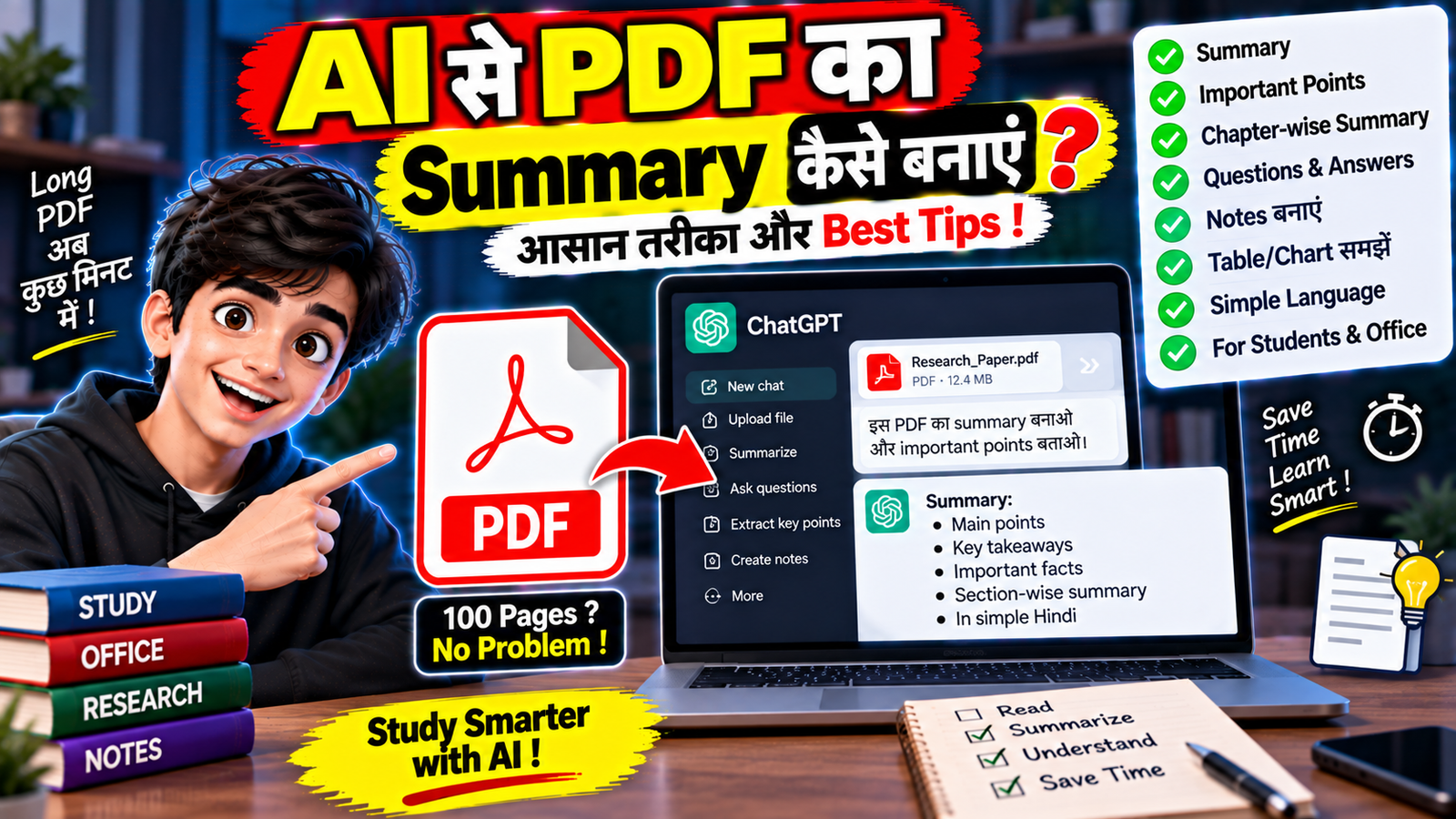
आज के समय में PDF files का इस्तेमाल हर जगह होता है। Notes, books, reports, research papers, office documents और study material अक्सर PDF format में मिलते हैं। लेकिन कई बार पूरी PDF पढ़ने में काफी समय लग जाता है।
ऐसे में AI की मदद से PDF के content को समझना, उसका summary बनाना, important points निकालना और questions पूछना काफी आसान हो सकता है।
अगर आप जानना चाहते हैं कि AI से PDF का Summary कैसे बनाएं, तो इस article में हम आसान भाषा में पूरा तरीका समझेंगे।
AI PDF Summary क्या होता है?
AI PDF Summary का मतलब है किसी PDF document के content को AI की मदद से छोटा और आसान रूप में समझना।
उदाहरण के लिए अगर आपके पास 50 pages की PDF है, तो AI से आप पूछ सकते हैं:
“इस PDF का आसान भाषा में summary बनाओ और इसके important points बताओ।”
AI उपलब्ध document के content को analyze करके उसके मुख्य points को summarize करने की कोशिश कर सकता है।
AI से PDF Summary बनाने के लिए क्या चाहिए?
आपको आमतौर पर इन चीजों की जरूरत होती है:
- Smartphone या Computer
- Internet Connection
- PDF File
- ऐसा AI Tool जो PDF upload या document analysis support करता हो
हर AI tool में PDF size, pages और file types की limits अलग हो सकती हैं।
AI से PDF का Summary कैसे बनाएं?
Step 1: AI Tool खोलें
सबसे पहले ऐसे AI tool को open करें जिसमें document या PDF upload करने की सुविधा उपलब्ध हो।
Step 2: PDF Upload करें
अब अपनी PDF file को AI tool में upload करें।
Upload करने से पहले यह सुनिश्चित करें कि PDF readable है और file बहुत ज्यादा damaged या corrupted नहीं है।
Step 3: Summary का Prompt दें
PDF upload होने के बाद AI को अपना instruction दें।
एक simple prompt:
“इस PDF का summary बनाओ।”
लेकिन ज्यादा useful result के लिए detailed prompt दे सकते हैं:
“इस PDF को पढ़कर आसान हिंदी में summary बनाएं। Important points को bullet points में लिखें और हर major section का short explanation दें।”
Step 4: AI का Summary Check करें
AI PDF को analyze करके summary तैयार करेगा।
Summary मिलने के बाद यह check करें कि important information छूटी तो नहीं है।
खासकर academic, legal, financial या technical documents में summary को original PDF से compare करना जरूरी है।
PDF से Important Points कैसे निकालें?
आप AI से सिर्फ summary ही नहीं, बल्कि important points की list भी मांग सकते हैं।
उदाहरण:
“इस PDF के सबसे important 15 points बताओ।”
या:
“इस document के main concepts को numbered list में समझाओ।”
इससे पूरी PDF पढ़े बिना उसके मुख्य topics को जल्दी समझने में मदद मिल सकती है।
PDF को आसान भाषा में कैसे समझें?
अगर PDF की language बहुत technical या difficult है, तो AI से उसे simple language में explain करने के लिए कह सकते हैं।
उदाहरण:
“इस PDF के Chapter 2 को बिल्कुल beginner के लिए आसान हिंदी में समझाओ और practical examples दो।”
इस तरह difficult information को समझने में मदद मिल सकती है।
PDF से Questions और Answers कैसे बनाएं?
Students के लिए यह feature काफी useful हो सकता है।
आप AI से कह सकते हैं:
“इस PDF से 20 important questions और उनके answers तैयार करो।”
या:
“इस chapter से exam के लिए important questions तैयार करो और हर answer को आसान भाषा में समझाओ।”
इससे study material को revision format में बदलने में मदद मिल सकती है।
PDF से Notes कैसे बनाएं?
AI की मदद से लंबे document को short notes में convert किया जा सकता है।
उदाहरण:
“इस PDF से revision notes बनाओ। Important definitions, concepts, dates और key points अलग-अलग headings में रखो।”
अगर PDF में बहुत ज्यादा information है तो आप chapter या section के अनुसार notes बनवा सकते हैं।
PDF से Table की जानकारी कैसे निकालें?
अगर PDF में tables हैं, तो कुछ AI tools उनसे information समझने या organize करने में मदद कर सकते हैं।
उदाहरण:
“इस PDF में दिए गए table का data साफ format में समझाओ और important differences बताओ।”
हालांकि complex tables में AI से निकाले गए numbers को original PDF से verify करना जरूरी है।
PDF में किसी Specific Topic को कैसे खोजें?
पूरी PDF का summary लेने की जरूरत हमेशा नहीं होती।
अगर आपको किसी specific topic की जानकारी चाहिए तो AI से पूछ सकते हैं:
“इस PDF में ‘Artificial Intelligence in Education’ से जुड़ी जानकारी कहां और किस context में दी गई है?”
या:
“इस PDF में battery safety से संबंधित सभी important points निकालो।”
इससे बड़े document में relevant information खोजने में समय बच सकता है।
AI से PDF का Chapter-by-Chapter Summary कैसे बनाएं?
अगर document बड़ा है तो पूरे PDF का एक ही summary लेने के बजाय chapter-wise summary बनाना ज्यादा useful हो सकता है।
Prompt:
“इस PDF के हर chapter का अलग-अलग summary बनाओ। हर chapter के लिए 5–7 important points और एक short explanation दें।”
इससे document को structured तरीके से समझना आसान हो सकता है।
PDF से Presentation कैसे तैयार करें?
AI की मदद से PDF के content को presentation outline में भी बदला जा सकता है।
उदाहरण:
“इस PDF के आधार पर 10-slide presentation की outline तैयार करो। हर slide का title और 3–4 important points बताओ।”
इसके बाद उस outline को presentation tool में इस्तेमाल किया जा सकता है।
PDF से YouTube Script कैसे बनाएं?
अगर PDF किसी educational या technical topic पर है तो उससे video script का draft भी तैयार किया जा सकता है।
उदाहरण:
“इस PDF की जानकारी के आधार पर beginners के लिए 5 मिनट की Hindi YouTube script तैयार करो। केवल PDF में मौजूद information का इस्तेमाल करो।”
फिर final script को original PDF से verify करना चाहिए।
AI PDF Summary में किन बातों का ध्यान रखें?
AI से summary लेते समय कुछ जरूरी सावधानियां रखें।
1. Original PDF भी रखें
Summary को original document का complete replacement न मानें।
2. Important Facts Verify करें
Numbers, dates, definitions और technical details को original source से check करें।
3. Missing Information Check करें
Short summary में document की कुछ important details छूट सकती हैं।
4. Tables और Charts Verify करें
Complex visual information को AI कभी-कभी गलत interpret कर सकता है।
5. Sensitive Documents में सावधानी रखें
Private या confidential PDF को किसी AI service पर upload करने से पहले उसकी privacy और data-handling terms समझें।
AI PDF Summary Free में बना सकते हैं?
यह इस्तेमाल किए गए AI tool पर निर्भर करता है।
कुछ AI tools document upload और basic analysis की सुविधा free में दे सकते हैं, जबकि बड़े documents या advanced features के लिए usage limits या paid plan हो सकता है।
इसलिए किसी भी tool का इस्तेमाल करने से पहले उसकी current limits और terms check करना बेहतर है।
अगर AI PDF को Read नहीं कर पा रहा है तो क्या करें?
अगर PDF analyze नहीं हो रही है तो ये चीजें try कर सकते हैं:
- PDF दोबारा upload करें।
- File corrupt तो नहीं है, check करें।
- अगर PDF scanned है तो OCR support वाले tool का इस्तेमाल करें।
- बहुत बड़ी PDF को छोटे sections में divide करें।
- Specific chapter या pages के साथ काम करें।
- अगर document में images ज्यादा हैं तो tool की visual-document capabilities check करें।
AI PDF Summary की Limitations
AI summary useful हो सकती है, लेकिन यह हमेशा perfect नहीं होती।
कुछ समस्याएं हो सकती हैं:
- Important details छूट सकती हैं।
- Context गलत समझा जा सकता है।
- Tables की information गलत पढ़ी जा सकती है।
- Scanned documents में text recognition की समस्या हो सकती है।
- AI कभी-कभी document की बात को oversimplify कर सकता है।
इसलिए important decisions के लिए केवल AI summary पर निर्भर नहीं रहना चाहिए।
PDF Summary के लिए Best Prompt
आप यह prompt इस्तेमाल कर सकते हैं:
“इस PDF को ध्यान से analyze करें। इसका आसान हिंदी में structured summary बनाएं। पहले overall summary दें, फिर chapter/section के अनुसार important points बताएं। Important definitions, numbers और key facts अलग से दिखाएं। जहां information unclear हो, वहां अनुमान न लगाएं।”
इस prompt को अपनी जरूरत के अनुसार customize किया जा सकता है।
Frequently Asked Questions
क्या Mobile से PDF का Summary बना सकते हैं?
हाँ। अगर AI tool mobile पर PDF upload और document analysis support करता है तो smartphone से भी summary बनाई जा सकती है।
क्या AI पूरी PDF पढ़ सकता है?
यह tool, file size, document length और supported formats पर निर्भर करता है। बड़े documents में limits हो सकती हैं।
क्या AI PDF से Questions बना सकता है?
हाँ। PDF के content के आधार पर questions, answers, quizzes और revision notes तैयार करने के लिए AI का इस्तेमाल किया जा सकता है।
क्या AI PDF Summary हमेशा सही होती है?
नहीं। Important information को original PDF से verify करना जरूरी है, खासकर जब document महत्वपूर्ण या technical हो।
निष्कर्ष
AI की मदद से PDF को summarize करना और उसके important points निकालना काफी आसान हो गया है। आप लंबे documents से summary, notes, questions, answers, chapter explanations और presentation outlines तैयार करने में AI का इस्तेमाल कर सकते हैं।
सबसे जरूरी बात यह है कि AI-generated summary को final source न मानें। Important facts और numbers को original PDF से verify करें और sensitive documents को upload करने से पहले privacy conditions जरूर समझें।